
Before we create and delete things, it is worth knowing what Blender actually stores. Two words come back constantly when you script Blender, and beginners mix them up for weeks: object and mesh.
In short: an object is a thing in your scene, with a name, a position, a rotation and a scale. A mesh is the geometry itself, the vertices and faces. The object points at the mesh, and several objects can point at the same mesh. That is exactly how linked duplicates work in the interface, and in Python you do it on purpose.
One mesh, three objects
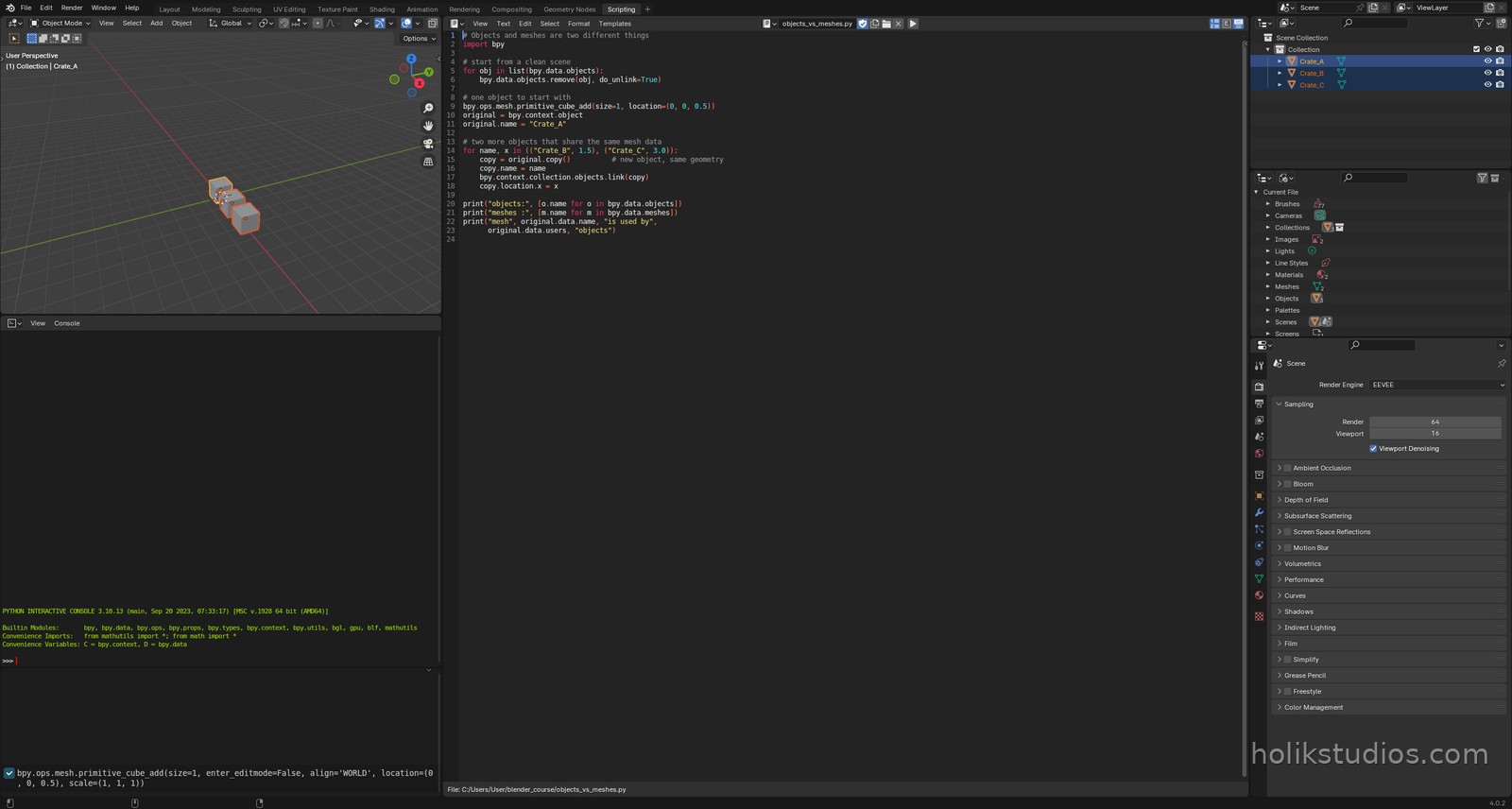
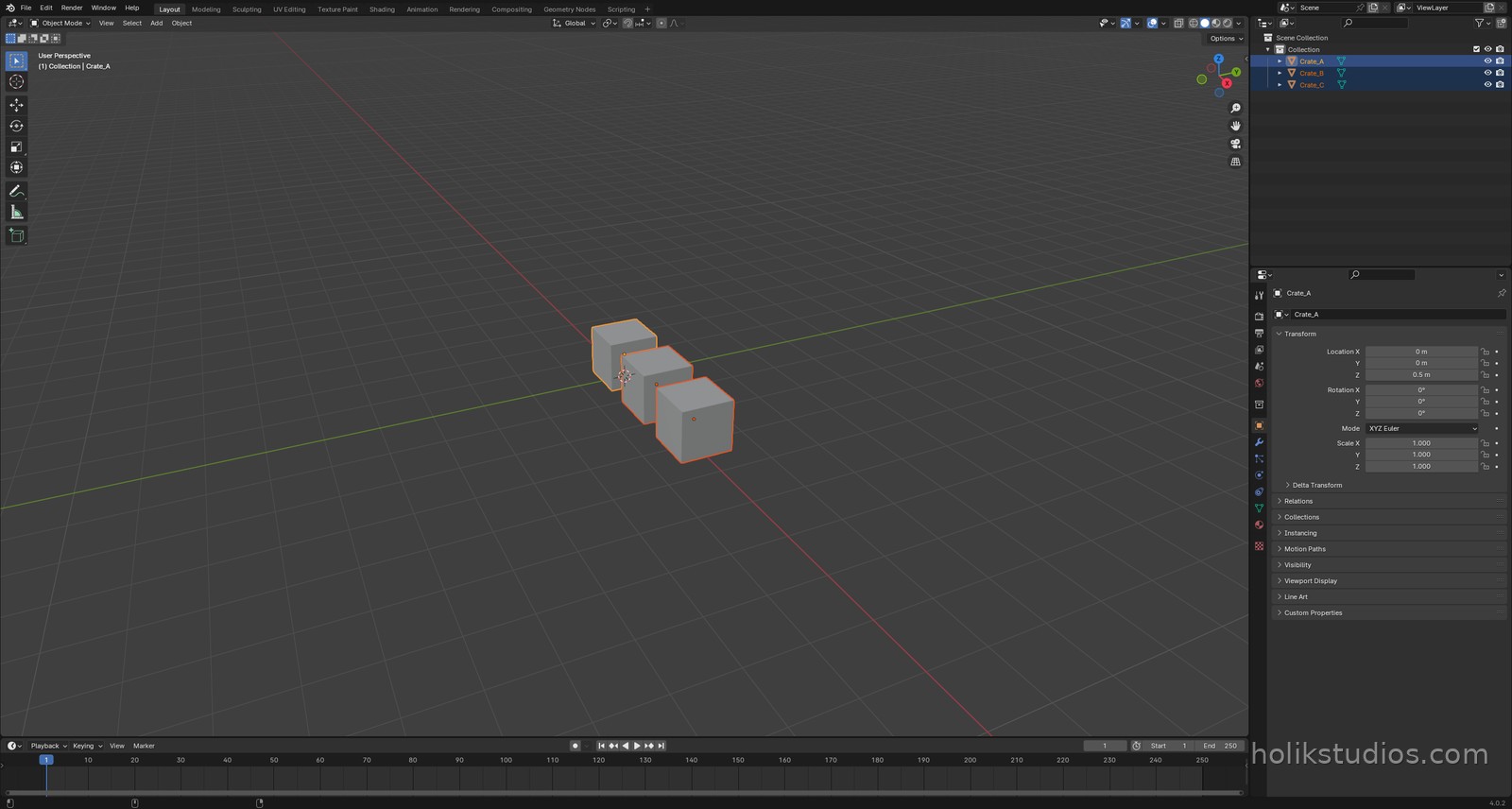
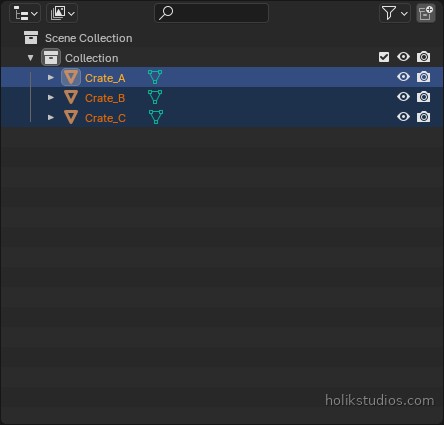
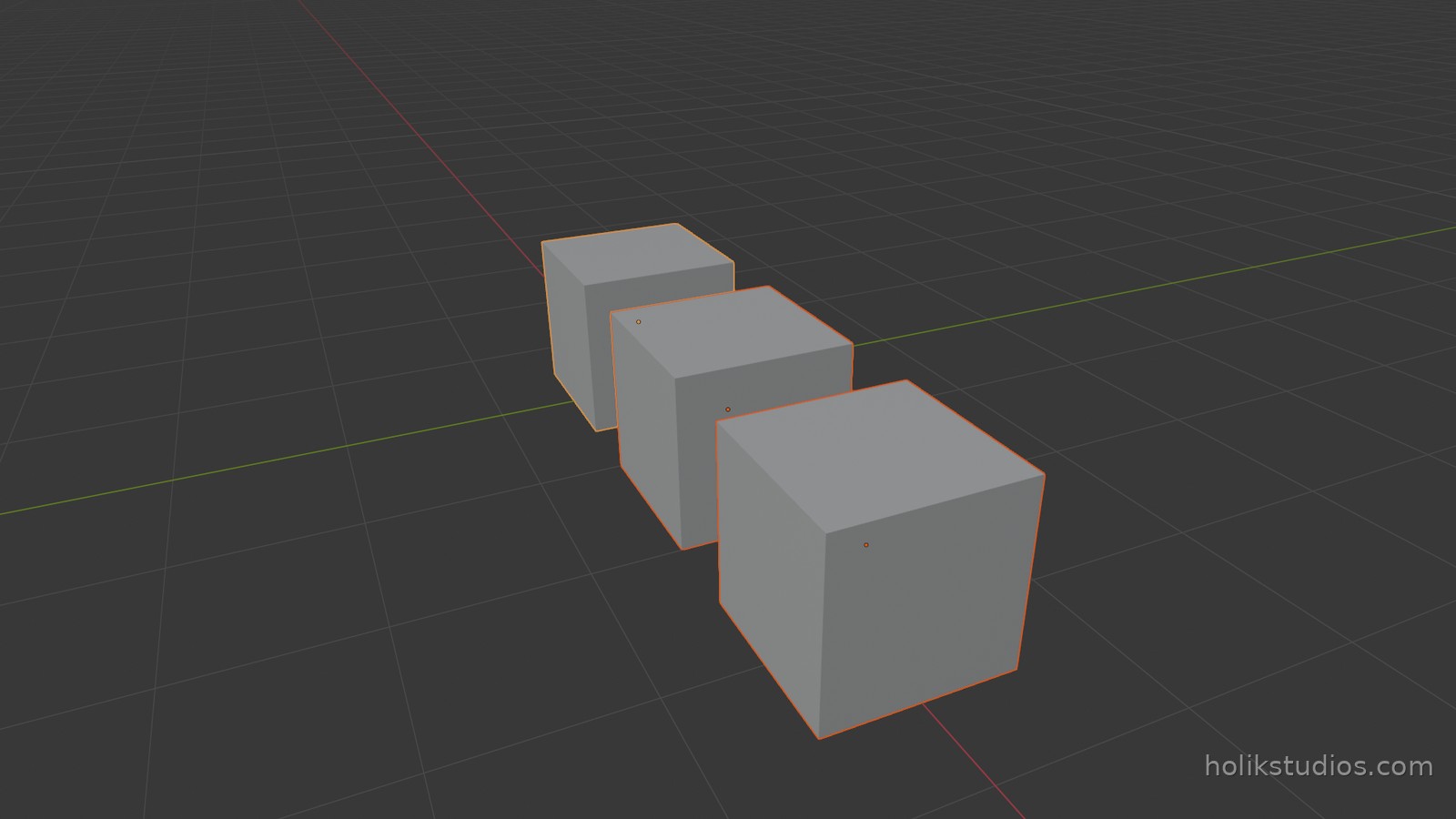
The script below creates a cube, then makes two copies of the object while reusing the same mesh data. The result looks like three crates, and it is: they are independent objects, but they share one set of vertices, so editing one geometry updates all three.
objects_vs_meshes.py
# Objects and meshes are two different things
import bpy

# start from a clean scene
for obj in list(bpy.data.objects):
    bpy.data.objects.remove(obj, do_unlink=True)

# one object to start with
bpy.ops.mesh.primitive_cube_add(size=1, location=(0, 0, 0.5))
original = bpy.context.object
original.name = "Crate_A"

# two more objects that share the same mesh data
for name, x in (("Crate_B", 1.5), ("Crate_C", 3.0)):
    copy = original.copy()          # new object, same geometry
    copy.name = name
    bpy.context.collection.objects.link(copy)
    copy.location.x = x

print("objects:", [o.name for o in bpy.data.objects])
print("meshes :", [m.name for m in bpy.data.meshes])
print("mesh", original.data.name, "is used by",
      original.data.users, "objects")
Where each one lives in Python
bpy.data.objects– every object in the file: name, transform, parent, visibility.bpy.data.meshes– every mesh datablock: vertices, edges, faces, materials.bpy.context.scene.objects– only the objects that are actually in the current scene.object.data– the mesh behind a given object, the bridge between the two lists.
The last point is the useful one. When you want to change a shape, you go through object.data. When you want to move, rename or duplicate a thing in the scene, you work on the object.
Why this matters for automation
When you build a scene from code you create a lot of objects, and the difference decides whether your file stays light or becomes huge. Fifty chairs sharing one mesh is a small file. Fifty chairs with fifty copies of the same geometry is a heavy file that slows every operation down. Knowing the difference is the first step towards scripts that scale.
Next we look at the difference between the Scene Collection and the full list of data in the file, because it explains a classic surprise: objects that exist but are not in the scene.